Skip to content

GoMotion AI · SCRIPT TO VIDEOYour script.
A video worth watching.

Create faceless videos with GoMotion AI. Bring your story to life with narration, real footage, captions and music, all in one place. Your ideas lead. Your video takes shape.

Your story. Your creative control. · Studio preview available

Voice actorMotion designerAsset managerSound designer
✓ Script2 · Generate3 · UploadGenerating

April 1949. The frigate HMS Amethyst steamed up the Yangtze toward Nanking — a routine relief run. Then the batteries on the north bank opened fire.

Trapped a hundred miles upriver, shelled and running out of everything, her crew had one way out…

one click · ready within the hour
AVoice — Deneb · ENchange

Built for faceless channels: history, true crime, finance, sleep stories, and more.

How it works

From a blank page
to your next video

GoMotion AI connects the pieces of video production, so you can focus on what your audience will learn, feel and remember.

1

Start with your words

Paste your script into GoMotion AI or develop an idea in the writing workspace. Shape a clear opening, useful chapters and a satisfying ending. Choose the available voice and language that suit your story, then review the script before production begins.

2

Build your first cut

GoMotion AI brings narration, visual scenes, captions and background music into the same workflow. Review suggested footage and replace anything that misses the point. Keep control of the story while GoMotion AI helps organize the moving parts around your script.

3

Review, export, share

Play through your GoMotion AI project, check the captions and refine individual scenes. Export a finished 1080p MP4 when you are happy with the result. Download your video, then upload it to your channel with your own title, description and thumbnail.

Voice actorAsset managerMotion designerSound designerVideo editor

A full editing crew behind every click

Five specialists work on every video: footage for every sentence, captions and music synced to the voice, cuts like a human editor.

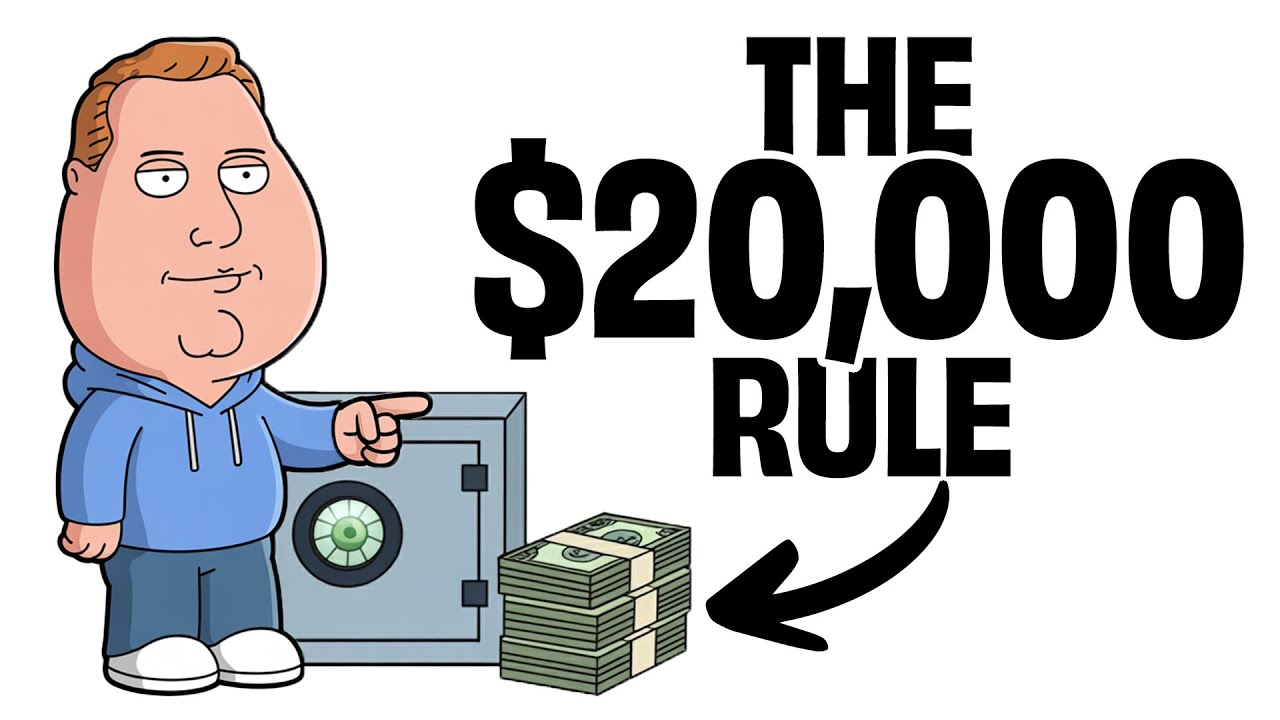
Nutrition video thumbnailNaval history video thumbnailPersonal finance video thumbnail
True crimeHistoryFinanceSpaceSleep stories+ yours

Any niche. Any language. Every day.

Documentaries, listicles, sleep stories, finance. If you can write it, GoMotion can produce it, every single day.

Inside every video

Everything an editor would do, done for you

Human-grade voiceover

Reads your script like a narrator would. 100+ studio-grade voices in each of 14 languages — or upload your own narration.

Real footage, every sentence

Real clips matched to what's being said and cut to the narration.

Word-synced captions

Karaoke captions hit the exact syllable, styled like the channels that win.

Motion graphics & animations

Zoom punches, kinetic text, counters and map reveals, placed where the script asks for them.

Music & SFX, mixed

A soundtrack that follows the story, kept softly under the voice, safe to monetize.

The final video, delivered

A 1080p MP4 with everything baked in. Drag it into YouTube and publish.

Results

Real channels. Real money.

Faceless channels that run on one click per video.

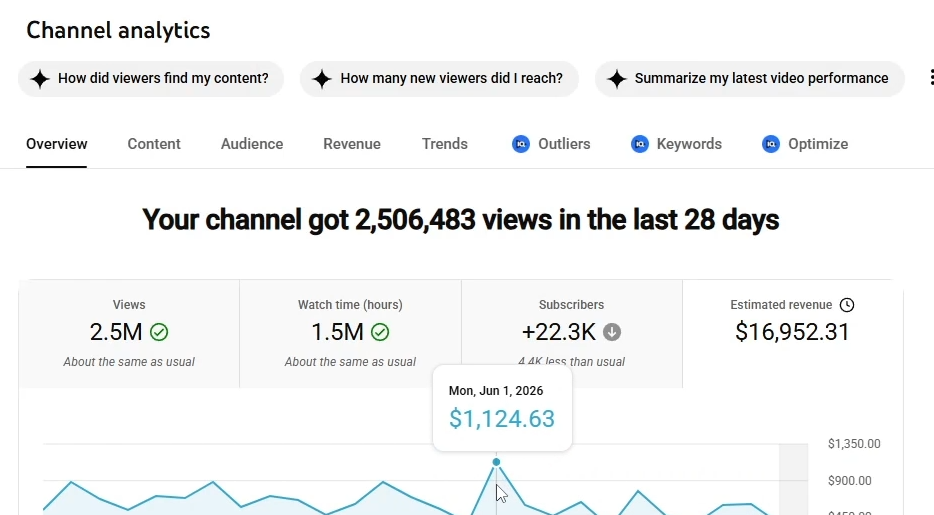
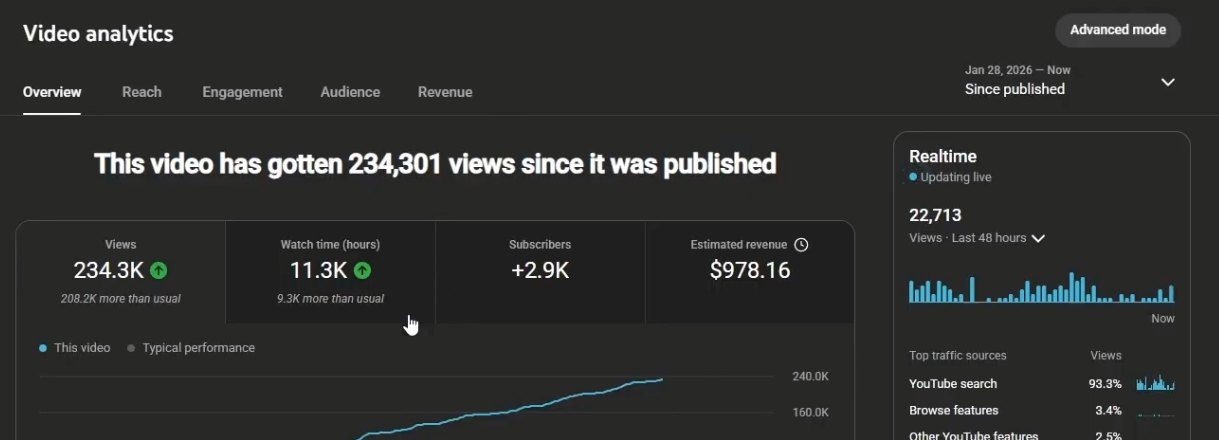
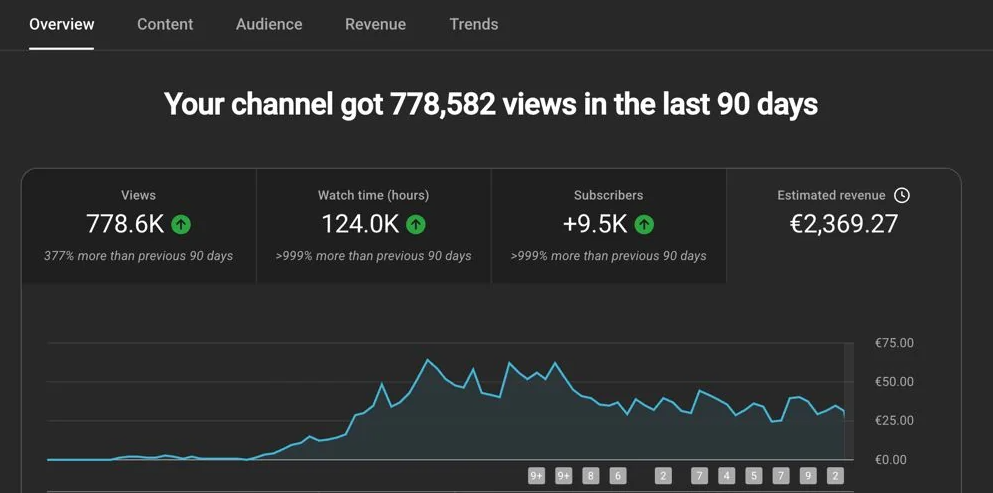
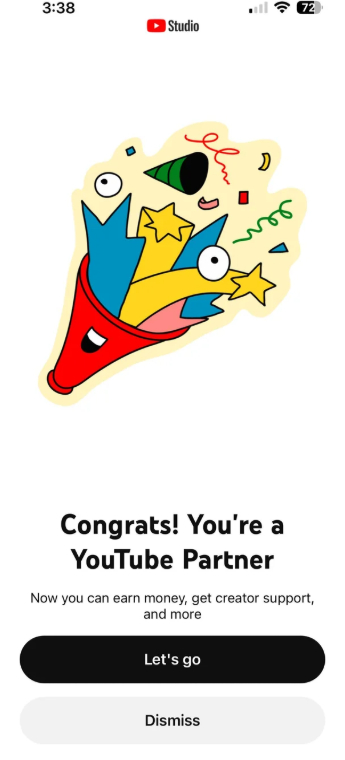
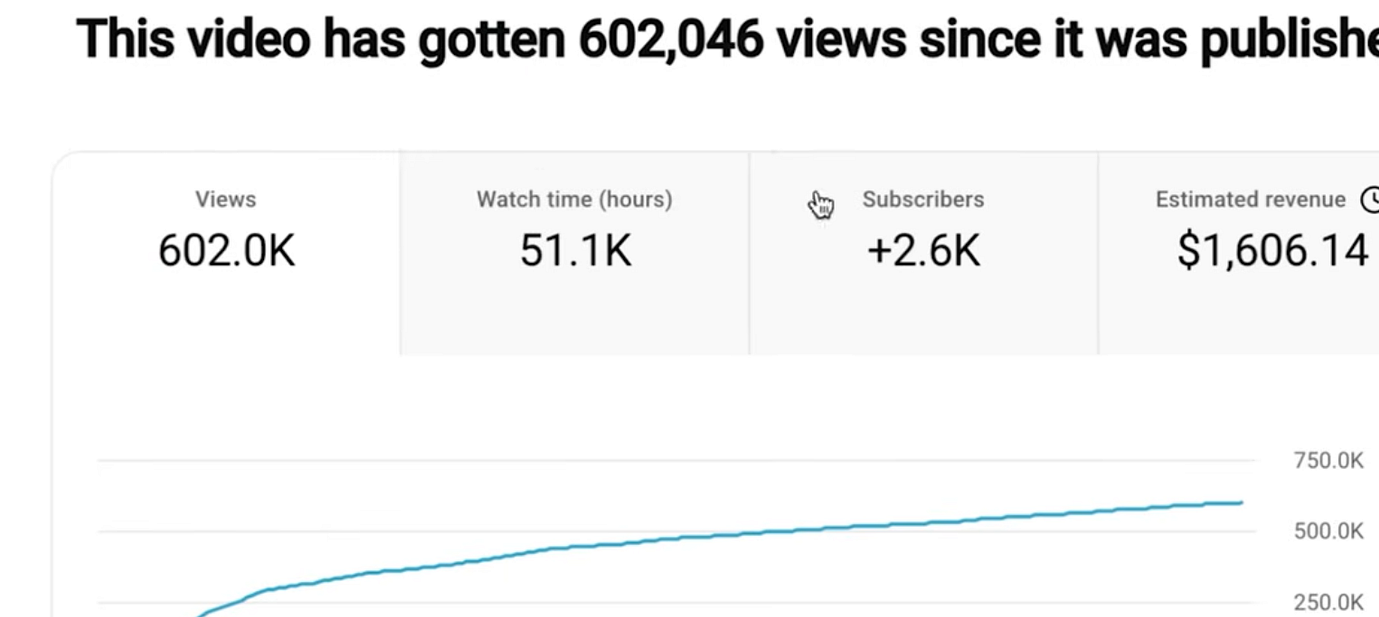
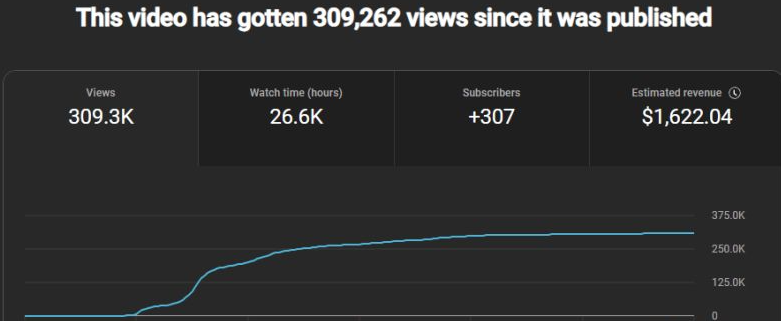
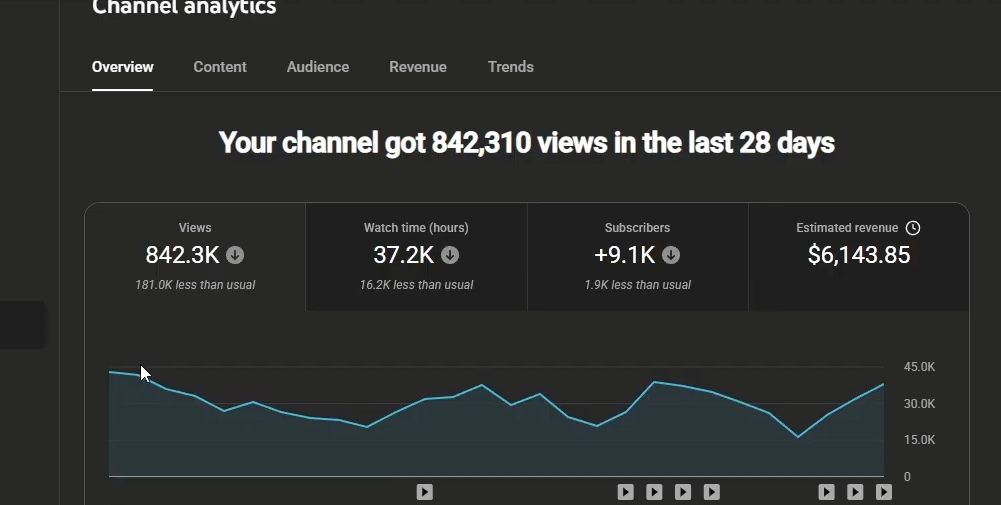
Reference channel analytics: 2.5M views, $16,952Reference video analytics: 234K views, $978Reference video analytics: 778K views, €2,369Reference YouTube Partner confirmationReference video analytics: 602K views, $1,606
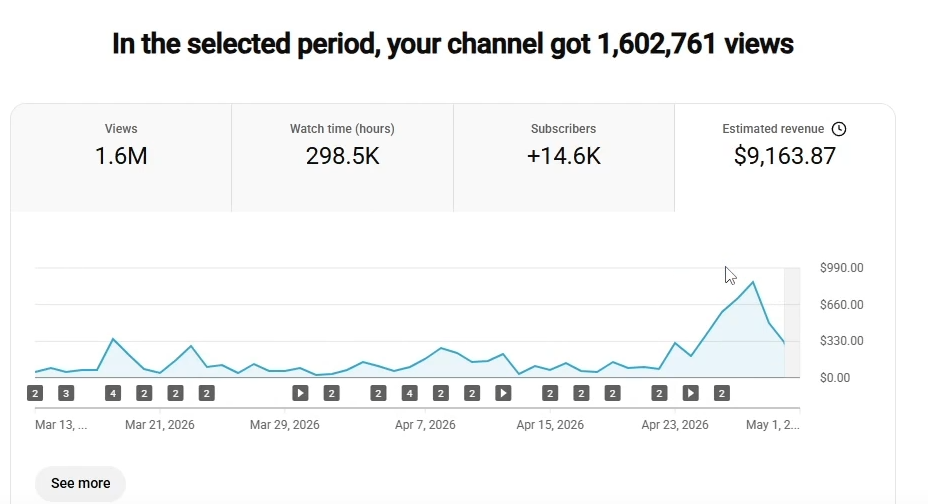
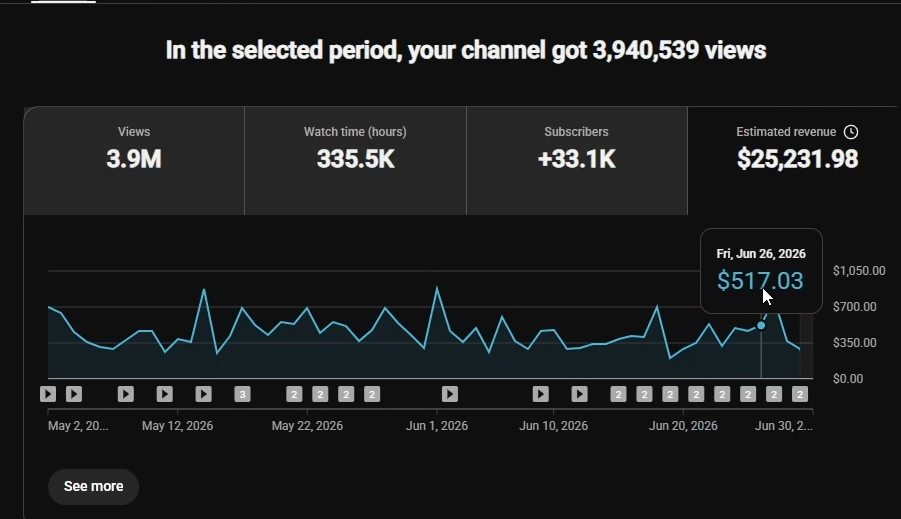
Reference channel analytics: 1.6M views, $9,163Reference channel analytics: 3.9M views, $25,231Reference video analytics: 309K views, $1,622Reference channel analytics: 842K views, $6,143
Made for your ideas

Different subjects.
Your unmistakable voice.

You do not need to appear on camera to offer something worth watching. Use GoMotion AI to give a clear point of view a visual voice.

01 / EDUCATION

Make the complicated click

Explain one idea clearly, from the first question to a practical takeaway. GoMotion AI helps you pair an accessible script with narration and supporting visuals. Define new terms, give concrete examples, and leave your viewer with something they can actually use.

Start a learning project ↗
02 / HISTORY & CULTURE

Put a story in perspective

Build a narrative around a place, a person or a turning point. Use GoMotion AI to organize the telling, then check your sources and distinguish illustrative footage from historical evidence. A compelling history video earns attention through context, accuracy and an original perspective.

Start a storytelling project ↗
03 / EVERYDAY EXPLAINERS

Answer a worthwhile question

Explore how something works or compare the tradeoffs behind an everyday decision. GoMotion AI keeps your explanation, voice and visual examples together. Outline the question first, show your reasoning, and use the final scene to give the audience a clear next step.

Start an explainer project ↗
04 / FACELESS CHANNELS

Build a series that feels like you

Keep a recognizable voice and visual approach across a collection of videos. GoMotion AI supports a repeatable script to video workflow without requiring you to film yourself. Give each episode its own research and purpose, then use GoMotion AI to carry that direction into the edit.

Start a channel project ↗

Give every video a reason to exist

A useful GoMotion AI video starts with a specific question and a thoughtful answer. Add your own research, examples and perspective. Check names, dates and visual context before exporting. GoMotion AI helps assemble the video; your editorial choices make it worth sharing.

Plan your next chapter

A creative rhythm.
A plan to match.

Explore the proposed GoMotion AI plan structure below. These are pricing previews; subscriptions and paid access are not available yet.

GoMotion AI pricing preview · These plans are not available to purchase yet.

Creator

Regular price: $39Discounted price: $27/ month

≈ $2.25 per finished video

  • 1,440 credits / month · ≈12 videos
  • 12 AI thumbnails + 12 AI scripts / month
  • Videos up to an hour+ (50,000-character scripts)
  • 100+ voices per language · 14 languages
  • 1080p videos with captions
  • Real footage on every scene
MOST POPULAR

Studio

Regular price: $89Discounted price: $59/ month

≈ $1.97 per finished video

  • 3,600 credits / month · ≈30 videos
  • 30 AI thumbnails + 30 AI scripts / month
  • Videos up to an hour+ (50,000-character scripts)
  • Auto captions, music & SFX
  • Every video rendered at full 1080p quality
  • Everything in Creator

Agency

Regular price: $159Discounted price: $107/ month

≈ $1.78 per finished video — best value

  • 7,200 credits / month · ≈60 videos
  • 60 AI thumbnails + 60 AI scripts / month
  • Videos up to an hour+ (50,000-character scripts)
  • Priority support & onboarding
  • Best price per finished video
  • Everything in Studio

Cancel anytime · monthly plans: unused credits roll over one cycle

Understand the estimate before you create

GoMotion AI shows a project estimate before generation. Script length, narration duration and your choices affect the work involved. Review the estimate in the studio before continuing. For current availability and the credit workflow, read the GoMotion AI pricing guide.

A little more clarity

GoMotion AI, explained

What is GoMotion AI?

GoMotion AI is a script to video workspace for creators making narrated, faceless videos. It brings writing, voiceover, visual scenes, subtitles, music and MP4 export into a connected project. GoMotion AI is currently available as a studio preview, with paid plans still to come.

How do I make my first GoMotion AI video?

Begin with a focused script and an audience in mind. Open GoMotion AI, create a project, choose from the available voice and video options, and review the estimate. After generation, check the footage, captions and audio before exporting. The GoMotion AI tutorial walks you through the creative workflow.

Do I need a camera or editing experience to use GoMotion AI?

You can use GoMotion AI without appearing on camera. A clear script, thoughtful visual choices and a careful final review are the essentials. GoMotion AI groups the production steps in one workspace, while scene controls let you make changes without rebuilding the entire project.

Can I change the footage and subtitles in GoMotion AI?

Yes. GoMotion AI lets you review and replace visual material, adjust framing, and work on subtitle text and styling. Use the preview to check how a change fits the narration. GoMotion AI keeps your project editable so you can refine the result before sharing it.

How long does GoMotion AI take to create a video?

Timing depends on the script, narration, selected media and rendering workload. GoMotion AI shows progress in the workspace, and some scenes may need your review before the video can finish. Leave time to check the complete GoMotion AI export rather than planning around a guaranteed turnaround.

Can I publish my GoMotion AI video on YouTube?

You can download a GoMotion AI MP4 and upload it yourself. Review the script, footage, music permissions and platform rules before publishing. GoMotion AI does not guarantee views, revenue or monetization; those depend on your original contribution, rights, channel and the platform’s review.Official guidance: YouTube channel monetization policies · Copyright on YouTube.

Is GoMotion AI free, and are subscriptions available?

GoMotion AI currently offers a studio preview. The plan cards on this page illustrate a proposed pricing structure, not a live subscription offer. Check the pricing guide for current availability and read the estimate shown in GoMotion AI before starting a production task.

What makes a strong script for a GoMotion AI video?

Choose one promise for the viewer, open with a reason to care, and develop the idea through specific examples. Short, clear sentences help narration sound natural. With GoMotion AI, a well structured script also makes it easier to choose relevant visuals and review each scene.


About GoMotion AI

GoMotion AI is a script-to-video workspace for creators making narrated, faceless videos. Bring writing, narration, visual scenes, captions and music into one project, then review the result before exporting. The studio is available as a preview; the displayed subscription plans are not yet available to purchase.

Updated

Contact

Questions about the studio or your GoMotion AI workflow? Email us:

support@gomotionai.co
Your next story starts here

Bring your idea.
Find its motion.

Open GoMotion AI, start with your words, and build a video around the story only you can tell. Explore the workflow, make your choices, and take your next idea from script to screen.

Open GoMotion AI →Studio preview · Paid plans are not yet available